配置浏览器Flags
配置 Local Network Access Checks
在最新版的 Chrome (142+) 中可能会出现以下问题
- 网页总结的页面中,会出现
Failed to fetch的错误 - 在开发者工具中控制台中可以看到
...has been blocked by CORS policy: Permission was denied for this request to access the 'unknown' address space.
- 在
Chrome中打开chrome://flags/#local-network-access-check - 将配置项从
Default更改成Disabled,默认的选项为Blocking
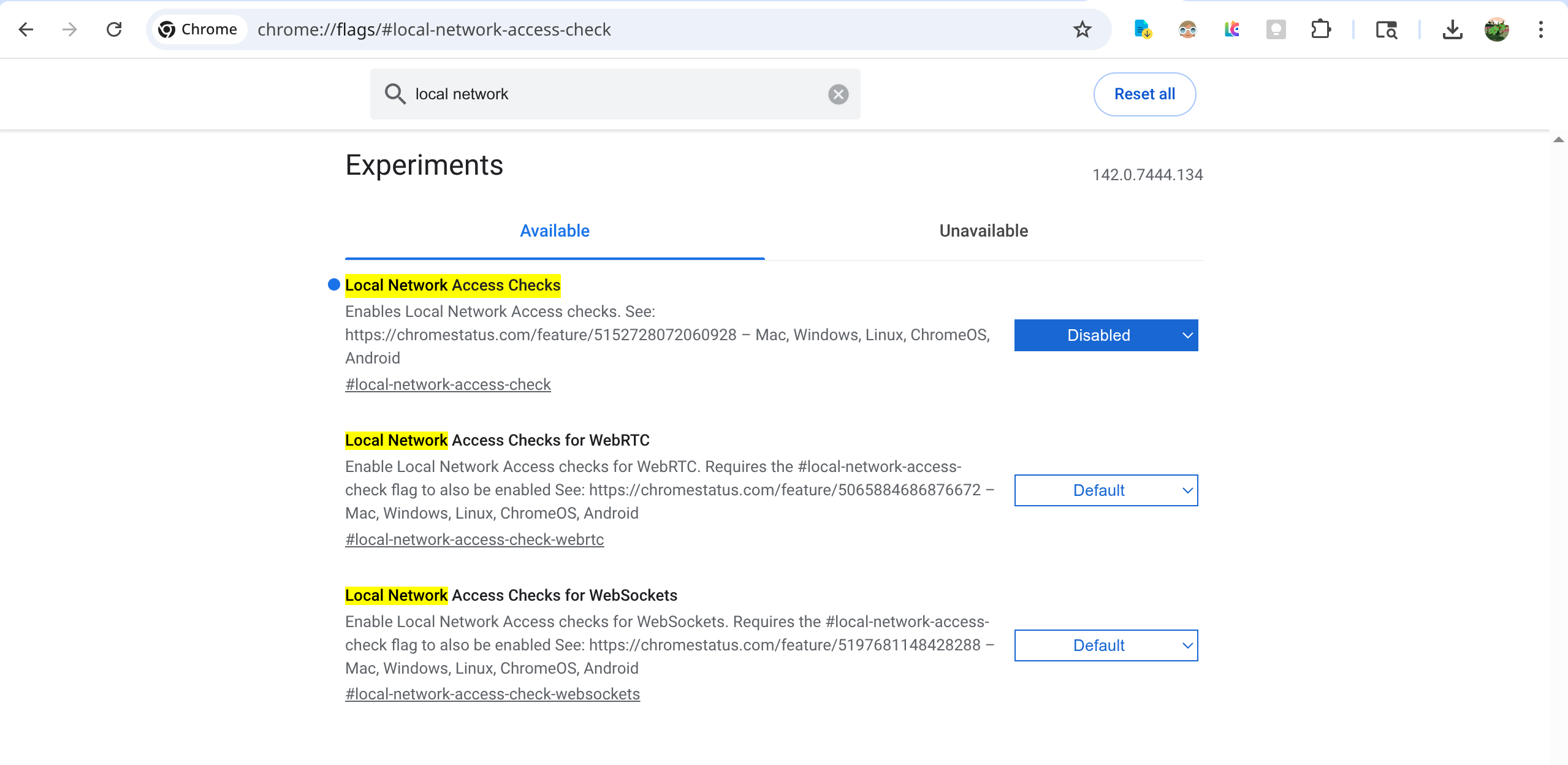
相关连接:
- https://chromestatus.com/feature/5152728072060928
- https://developer.chrome.com/blog/local-network-access
配置网络
- 打开地址
chrome://proxy
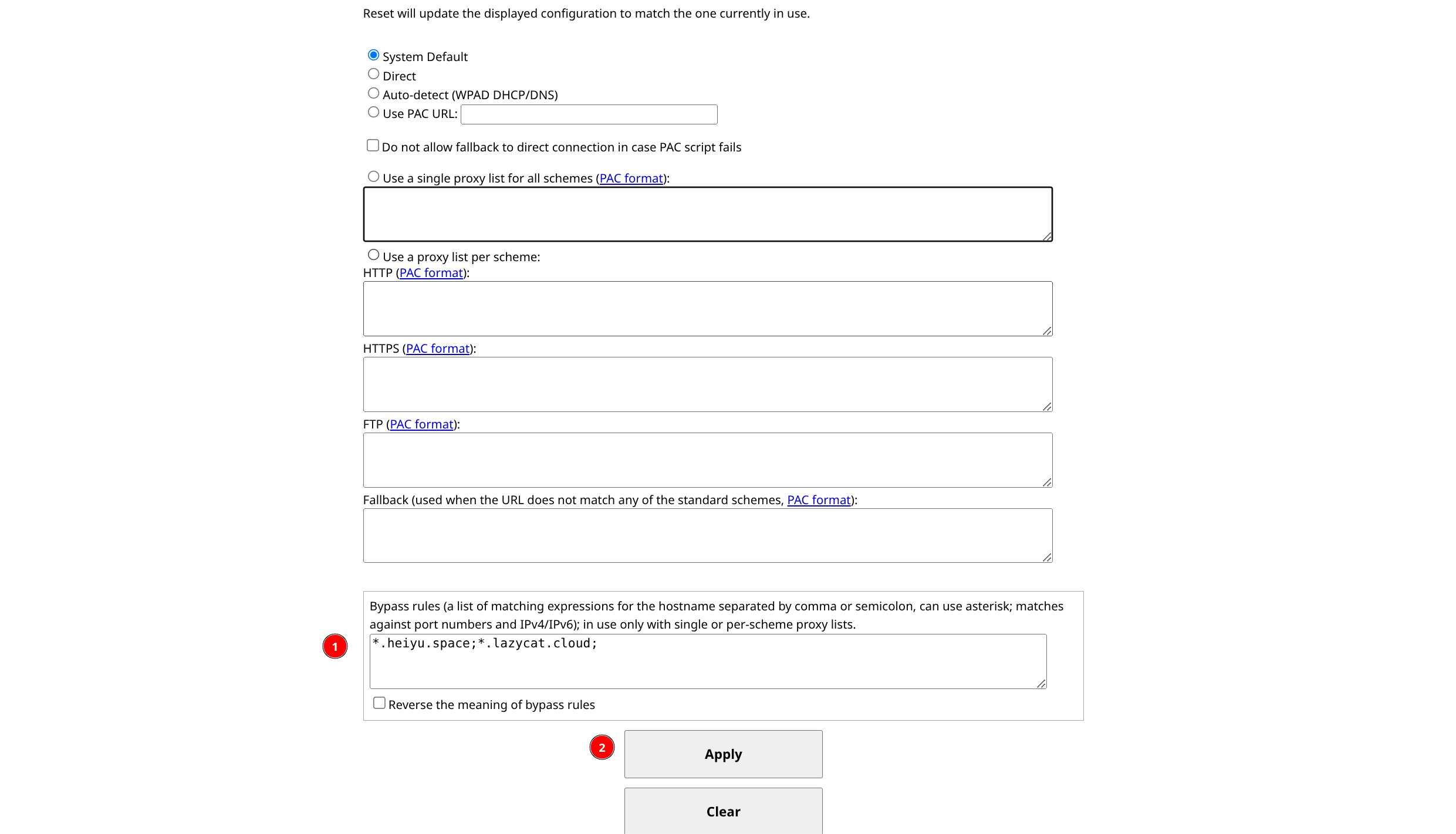
在底部的填写框中,将
*.heiyu.space;*.lazycat.cloud;写进去,允许访问*.heiyu.space和*.lazycat.cloud地址。点击
Apply按钮应用。