Configure Browser Flags
Configure Local Network Access Checks
In the latest version of Chrome (142+), the following issues may occur:
- The "Page Summary" page shows an error of
Failed to fetch - The developer tools console displays
...has been blocked by CORS policy: Permission was denied for this request to access the 'unknown' address space.
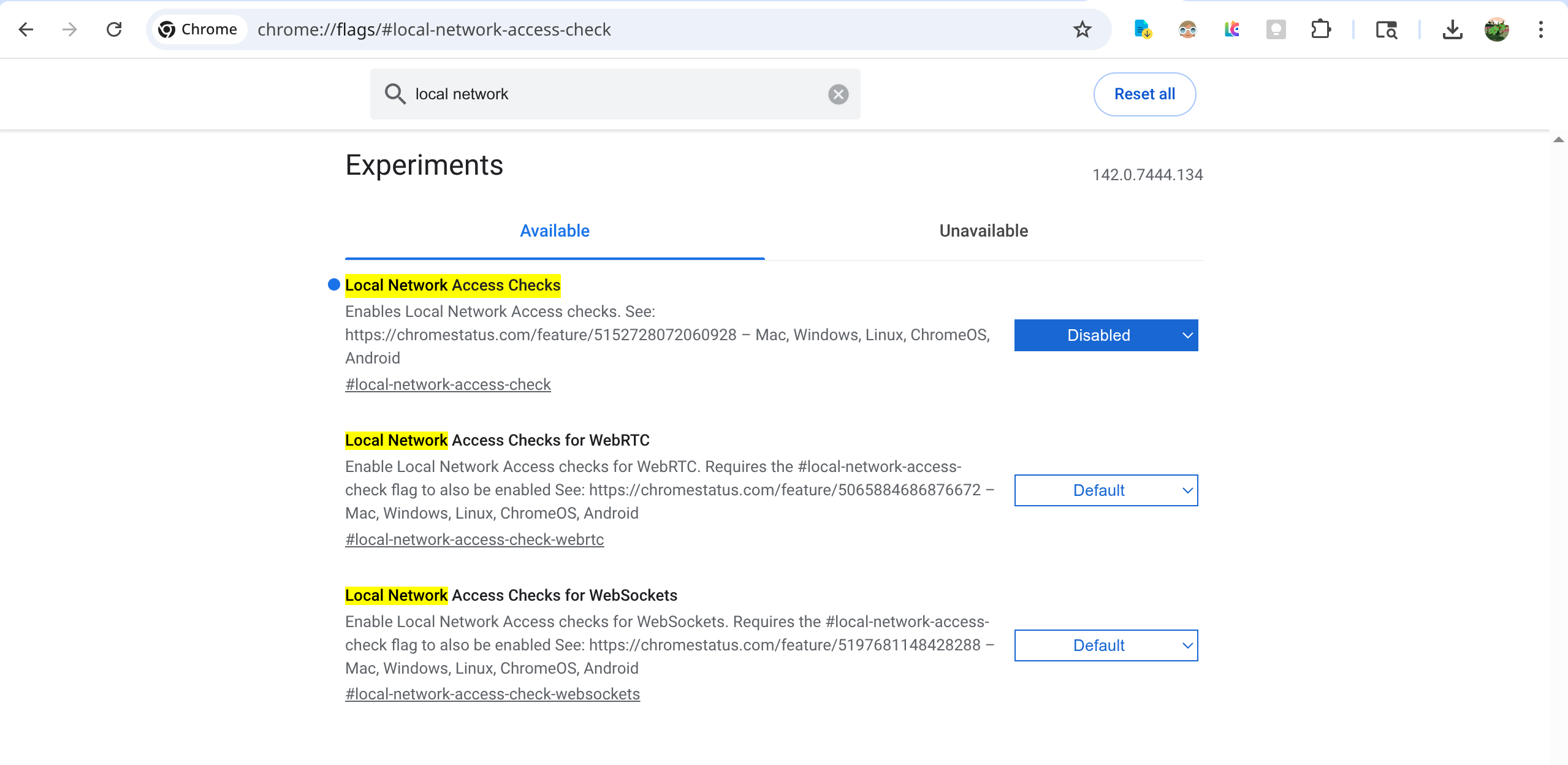
- Open
Chromeinchrome://flags/#local-network-access-check - Change the setting from
DefaulttoDisabled; the default option isBlocking
Related links:
- https://chromestatus.com/feature/5152728072060928
- https://developer.chrome.com/blog/local-network-access
Configure Network
- Open the address
chrome://proxy
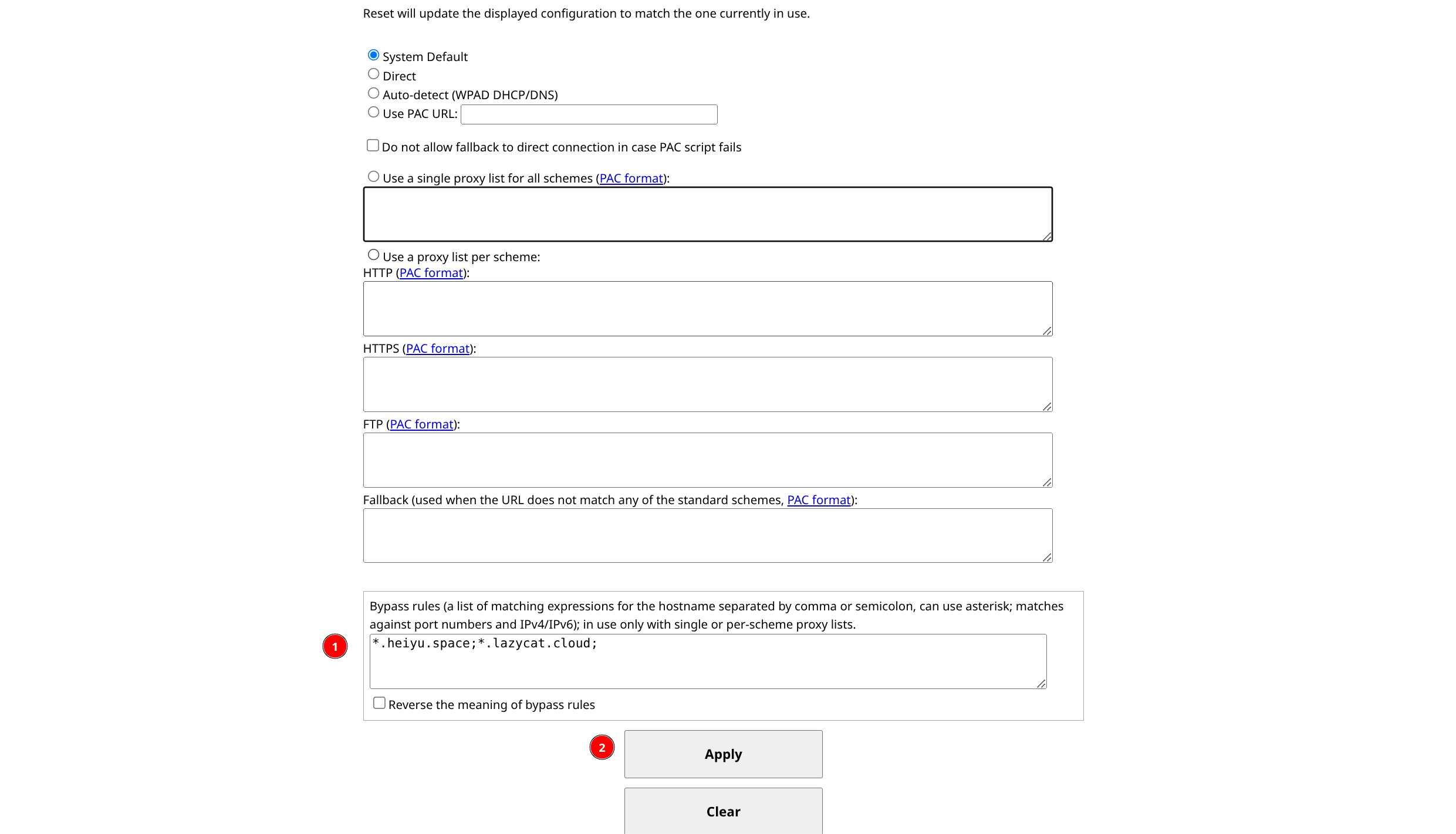
In the input field at the bottom, enter
*.heiyu.space;*.lazycat.cloud;to gain access to the addresses*.heiyu.spaceand*.lazycat.cloud.Click the
Applybutton to apply.