AI Pod Port Forwarding
In the AI Pod system, a default lzc-ai-agent systemd service is provided, which is responsible for pulling container images, managing container startup, and connecting with the LCMD (Microservice).
In certain scenarios, you may need to directly access a service running inside the AI Pod via its IP address. However, since internal services do not expose ports by default, you need to set up port forwarding to expose the service's ports to a local network address within the AI Pod.
- The AI Pod's IP address can be found in the device management list of
aipod.
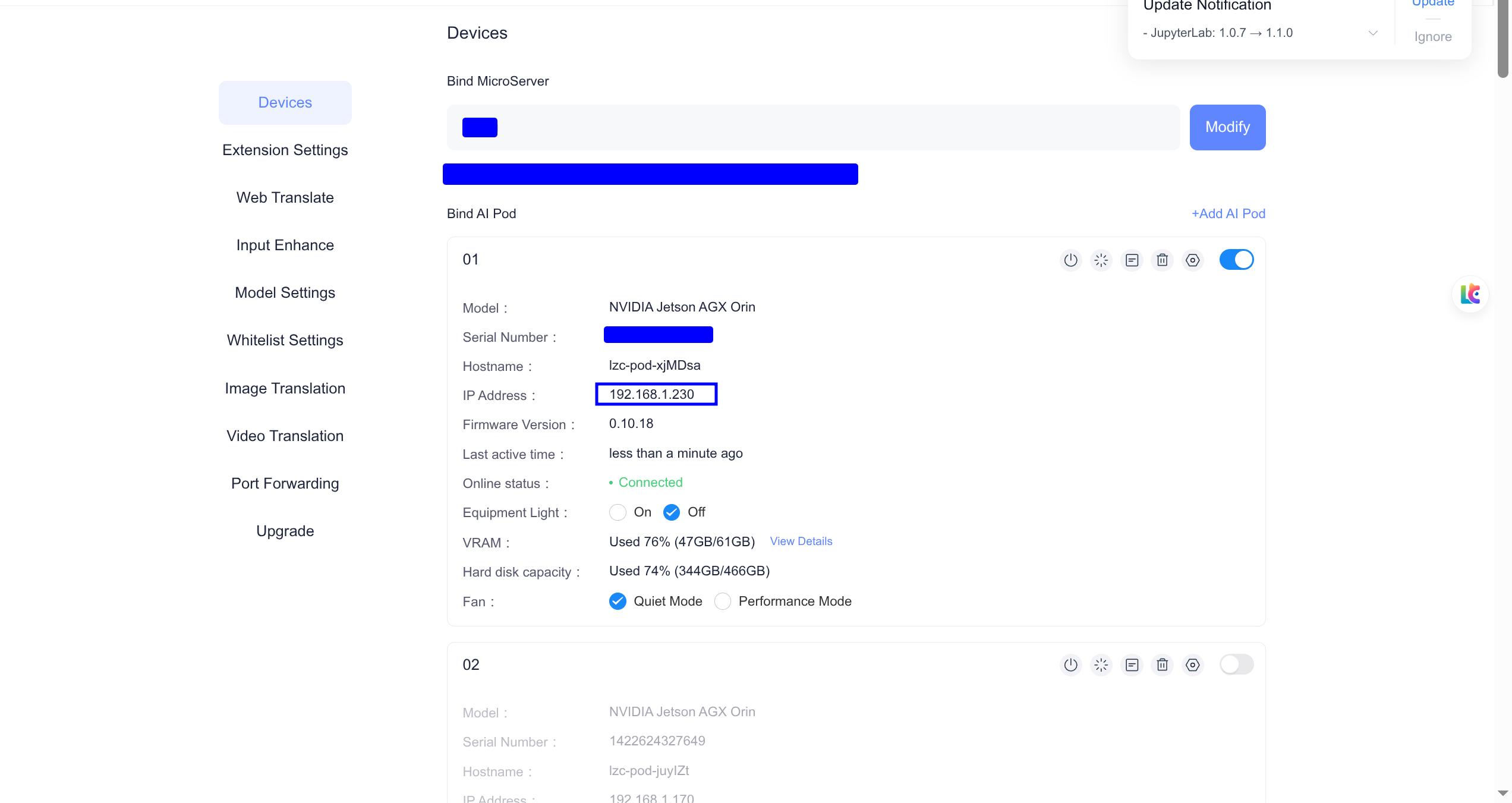
- Open the URL
http://算力舱的ip:40793/ui. If you're accessing this through a browser on the AI Pod, you canhttp://127.0.0.1:40793/uiopen it and add the service you wish to forward, such asbgem3vllm-ai.
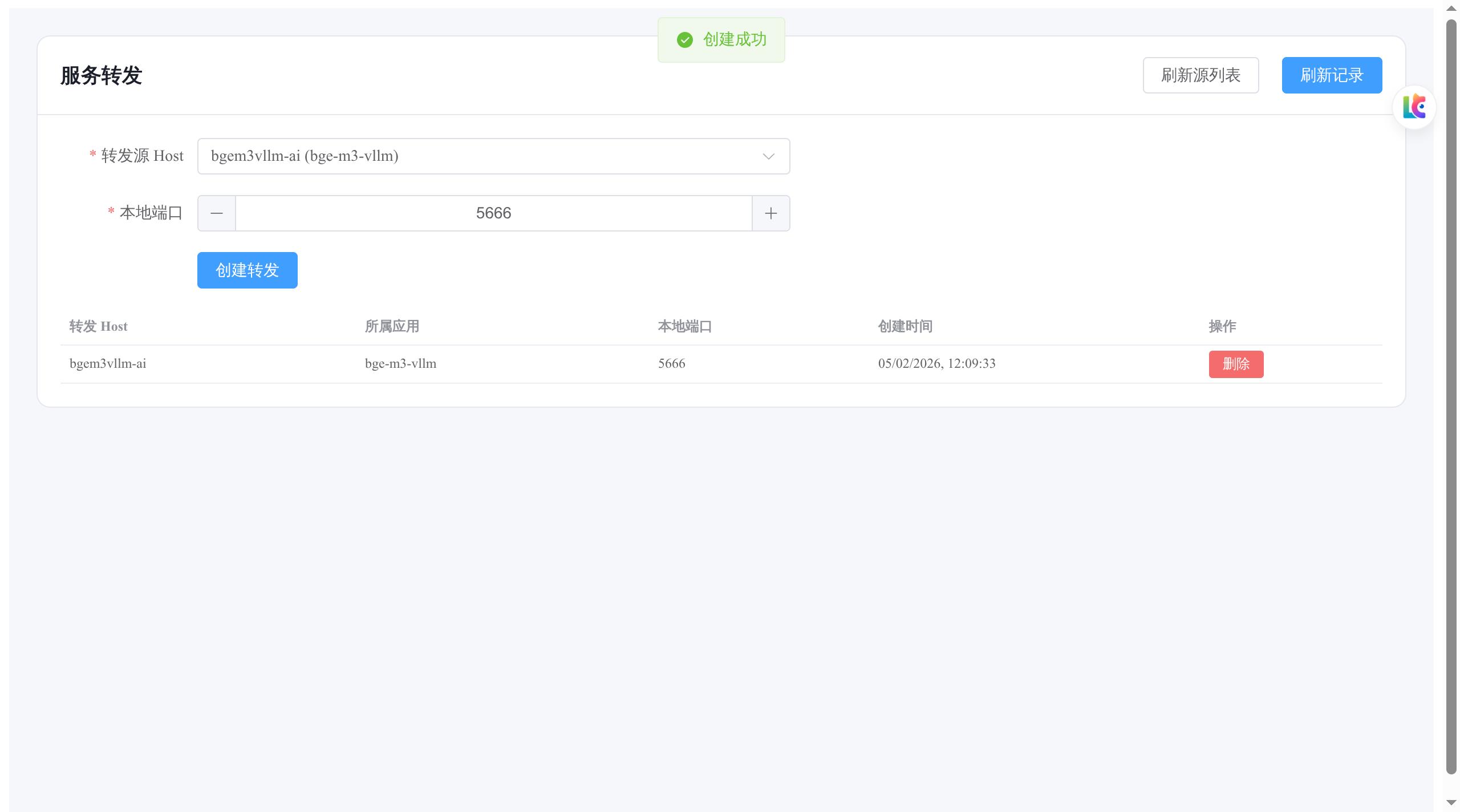
- Test
Open http://ip:端口, for example, ports bgem3vllm-ai and 5666.
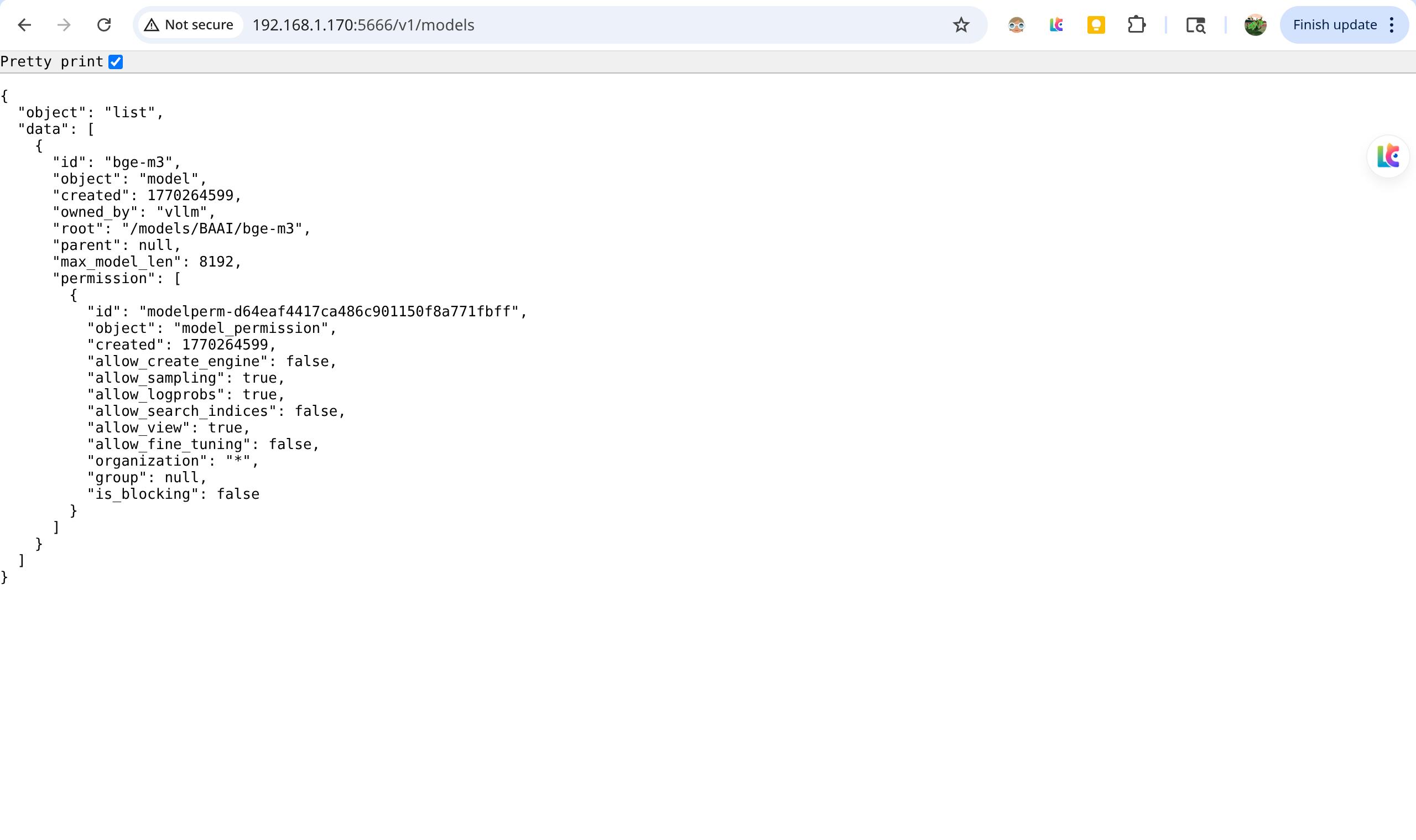
Or directly access it within the AI Pod.
> curl http://127.0.0.1:5666/v1/modelsInfo
Note: Services will not be automatically started at this time; under processing.