How to Delete Models in Ollama
Delete Model in Open WebUI
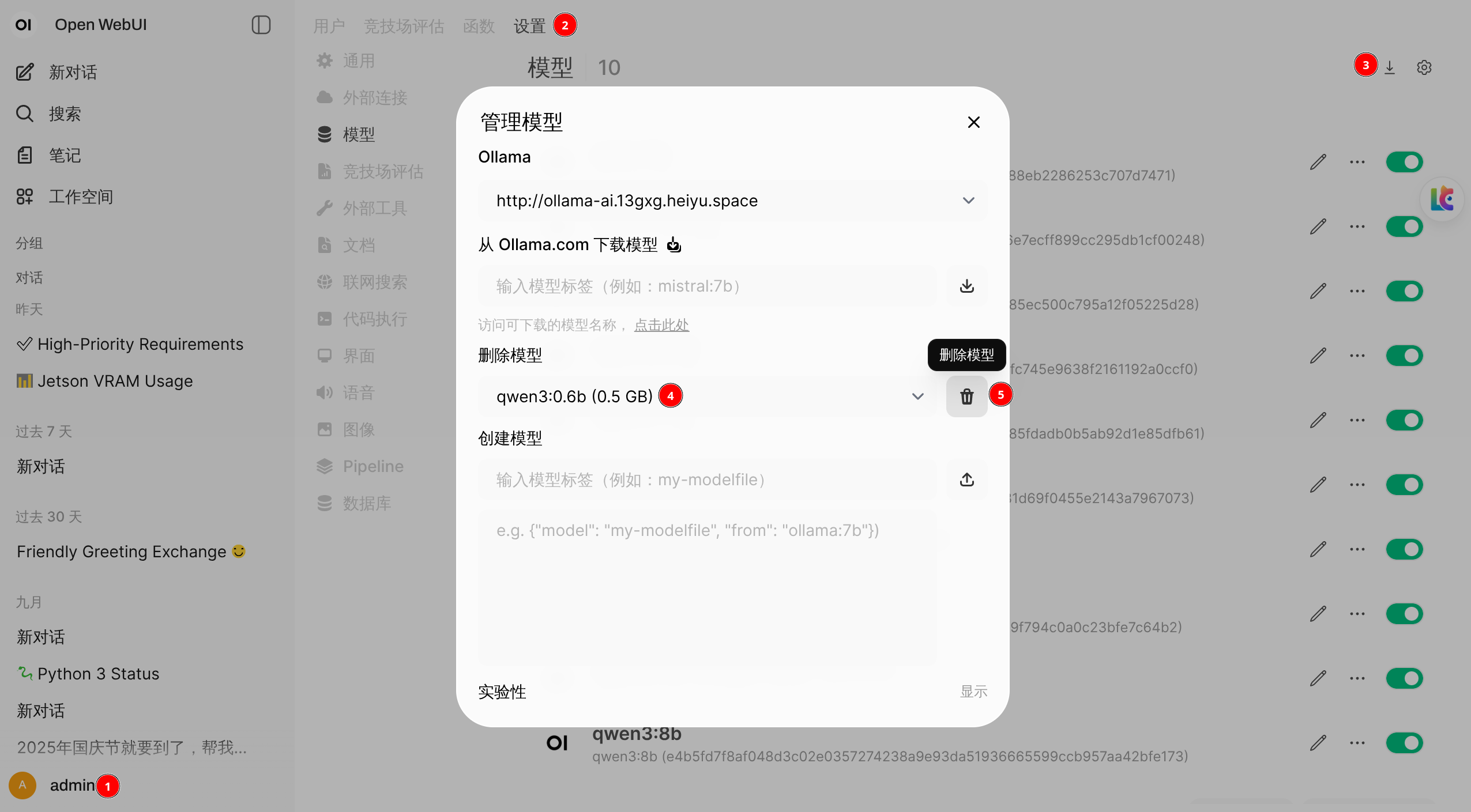
- Click the icon in the bottom-right corner and select "Admin Settings" from the dropdown menu.
- In the "Admin Settings" section, click the "Settings" tab.
- Go to the "Model Management" section.
- Select the model you want to delete.
- Click the "Delete Model" button.
Delete Model in Webollama
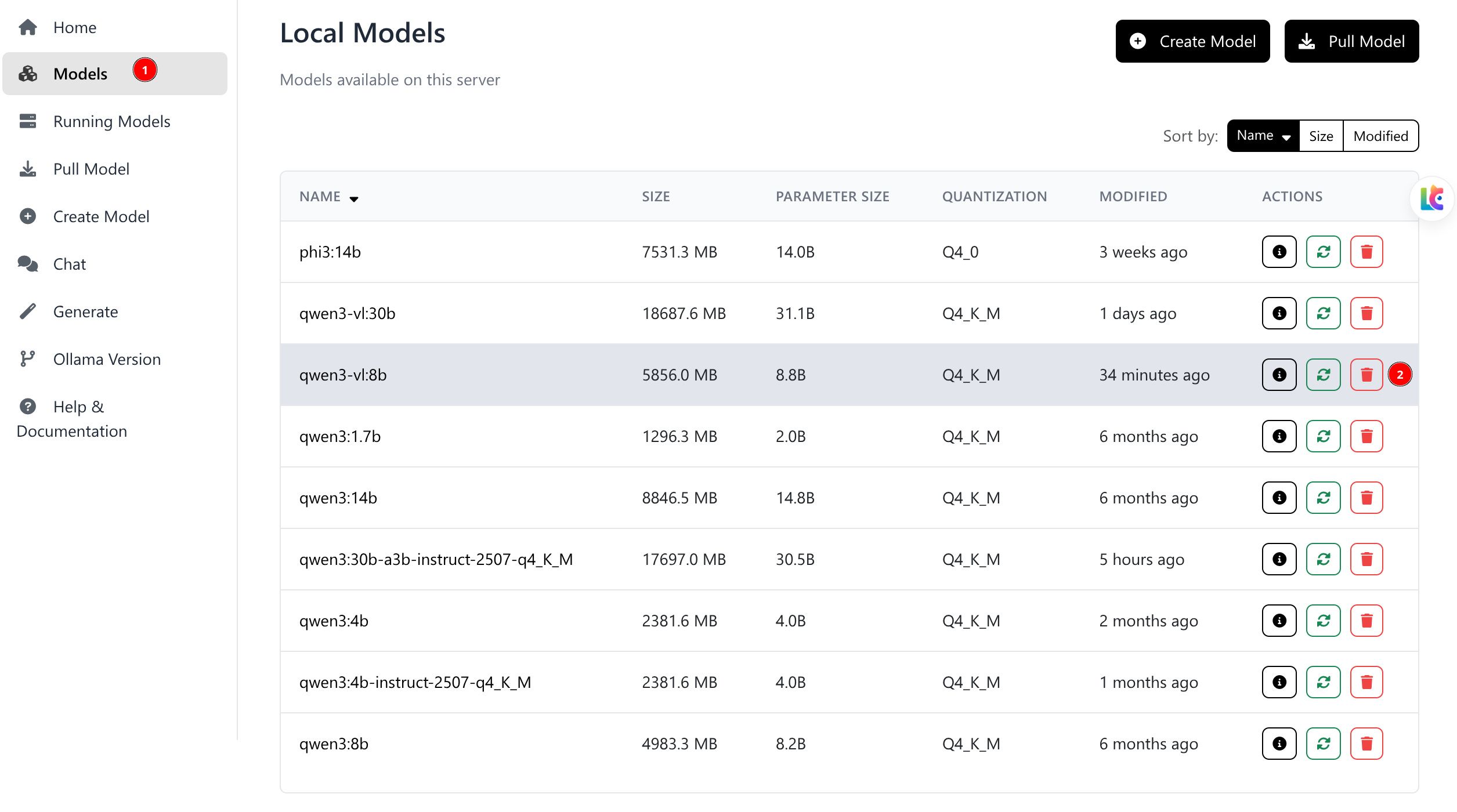
- Click the model list to view currently available models.
- Select the model you want to delete and click the delete icon on the right side.
Delete Model via Ollama Command Line
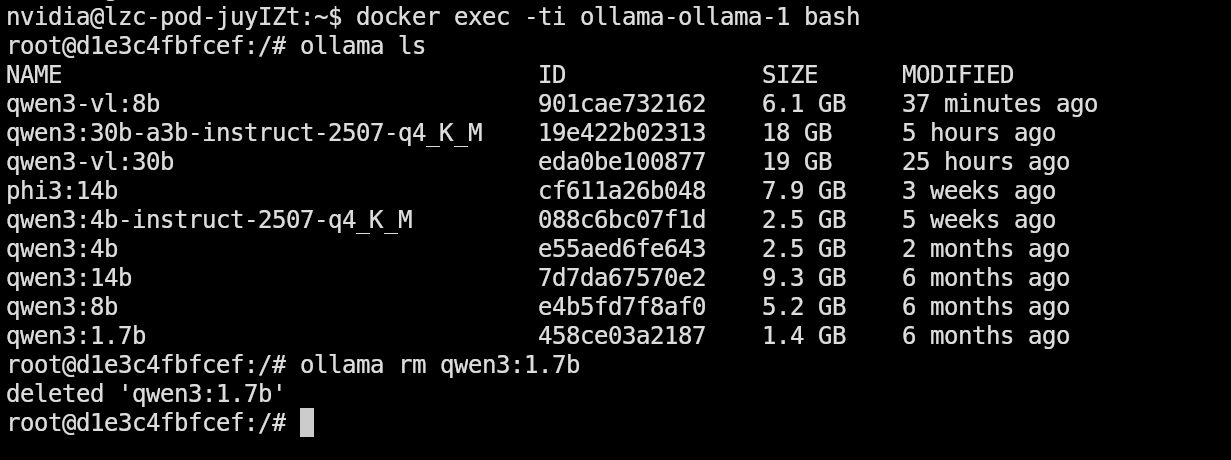
- SSH into the AI Pod, for example:
ssh nvidia@192.168.1.130 - Execute:
docker exec -ti cloudlazycataipodwebollama-ollama-1 bash - Execute:
ollama lsto list all currently available models
bash
NAME                                  ID              SIZE      MODIFIED
qwen3-vl:8b                           901cae732162    6.1 GB    37 minutes ago
qwen3:30b-a3b-instruct-2507-q4_K_M    19e422b02313    18 GB     5 hours ago
qwen3-vl:30b                          eda0be100877    19 GB     25 hours ago
phi3:14b                              cf611a26b048    7.9 GB    3 weeks ago
qwen3:4b-instruct-2507-q4_K_M         088c6bc07f1d    2.5 GB    5 weeks ago
qwen3:4b                              e55aed6fe643    2.5 GB    2 months ago
qwen3:14b                             7d7da67570e2    9.3 GB    6 months ago
qwen3:8b                              e4b5fd7f8af0    5.2 GB    6 months ago
qwen3:1.7b 458ce03a2187 1.4 GB 6 months ago- Execute the model you want to delete, for example:
ollama rm qwen3:1.7b