Introduction
The AI Pod runs Ubuntu 22.04.5 LTS. You can connect a keyboard, mouse, and display and use it as an independent host. The lzc-ai-agent service integrates it with the LCMD platform and deploys and starts the related AI application services. Services on the AI Pod run in docker.
PRETTY_NAME="Ubuntu 22.04.5 LTS"
NAME="Ubuntu"
VERSION_ID="22.04"
VERSION="22.04.5 LTS (Jammy Jellyfish)"
VERSION_CODENAME=jammy
ID=ubuntu
ID_LIKE=debian
HOME_URL="https://www.ubuntu.com/"
SUPPORT_URL="https://help.ubuntu.com/"
BUG_REPORT_URL="https://bugs.launchpad.net/ubuntu/"
PRIVACY_POLICY_URL="https://www.ubuntu.com/legal/terms-and-policies/privacy-policy"
UBUNTU_CODENAME=jammyWarning
The AI Pod's Linux system cannot be replaced with other distributions. This Ubuntu is officially adapted for nvidia jetson. If you change Linux to another distribution, you may encounter unknown issues.
If you restore to the factory environment, you can use a system flash to restore the system.
SSH
The default username and password for the AI Pod is nvidia:nvidia.
- You can check your current IP address in the AI Pod's management list.
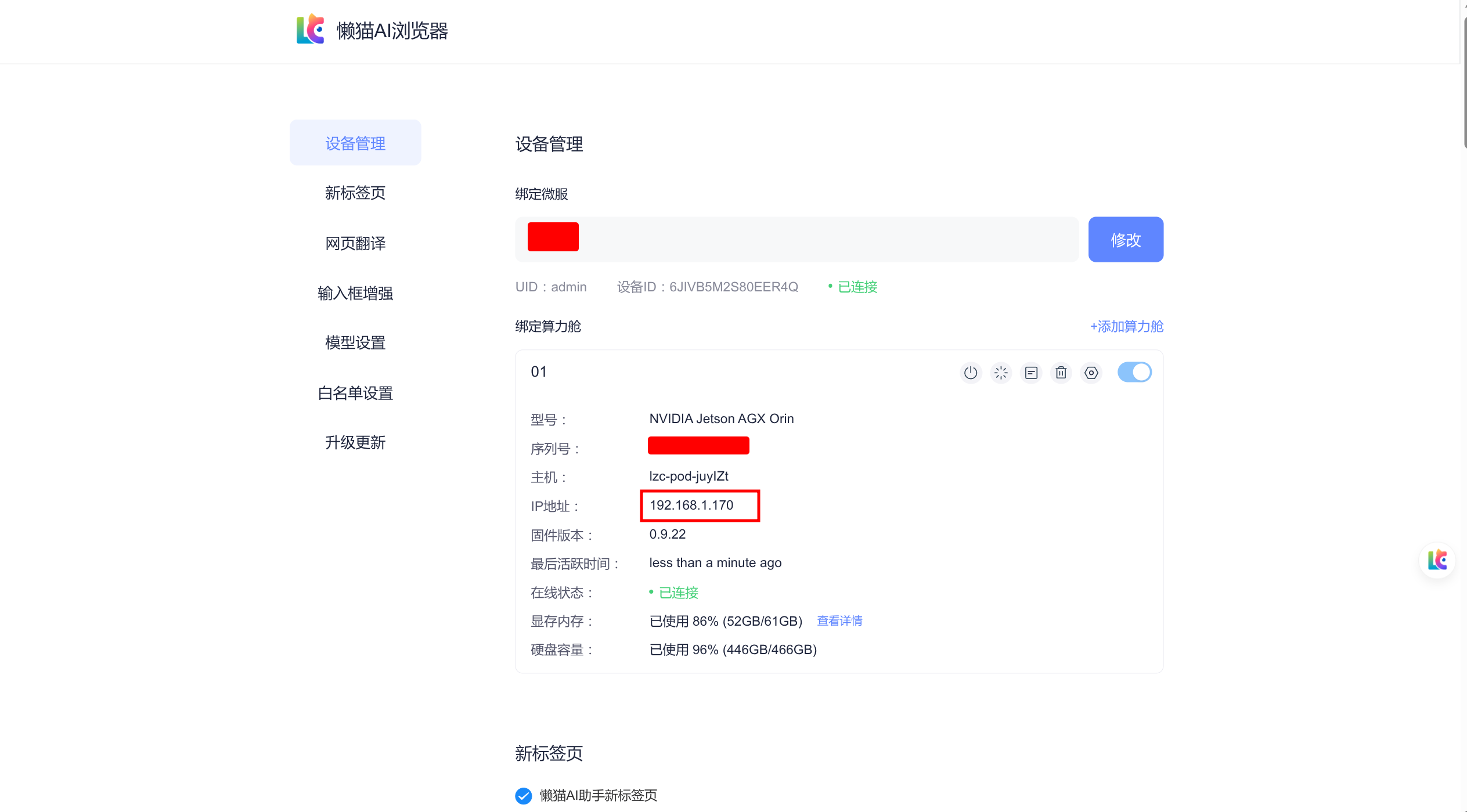
You can connect to the AI Pod system via
ssh nvidia@ip.If you are not on the same local network as the AI Pod, you can also connect through the LCMD as a jump host, for example
ssh -J root@微服名称.heiyu.space nvidia@ip.